Meshploy
Self-hosted deploys across your own servers, on any providerServers on any provider or in a home lab join over WireGuard with one outbound connection. Workers expose no public ports; only the gateway faces the internet.
Drag a plug into a cluster port or a mesh-only port, or out to unplug it. Every cord is live.
- gateway: control planek3s server
- hetzner-fsnwebredis
- home-labwebbuilder
- aws-mumbaiapibackup
- azure-puneapi
- do-blrworker
- pi-clusterpostgres
- oracle-freeclickhouse
One command to install
One command sets up the gateway and the whole stack (Caddy, Headscale, CoreDNS, k3s, PostgreSQL) on a Linux server. Workers join with a single-use token, and a Mac or a Windows machine can join the mesh too.
- Caddy
- CoreDNS
- Proxy
- API + console
- Headscale
- PostgreSQL
- k3s server
- On the mesh
- Then join
- Linuxcluster worker or mesh only
- macOSmesh only
- Windowsmesh only
Edge config is generated
Caddy, CoreDNS zones and Headscale are rendered from one versioned snapshot, with golden-file tests. Several domains, a DNS mode per domain and a movable primary need no hand-edited config.
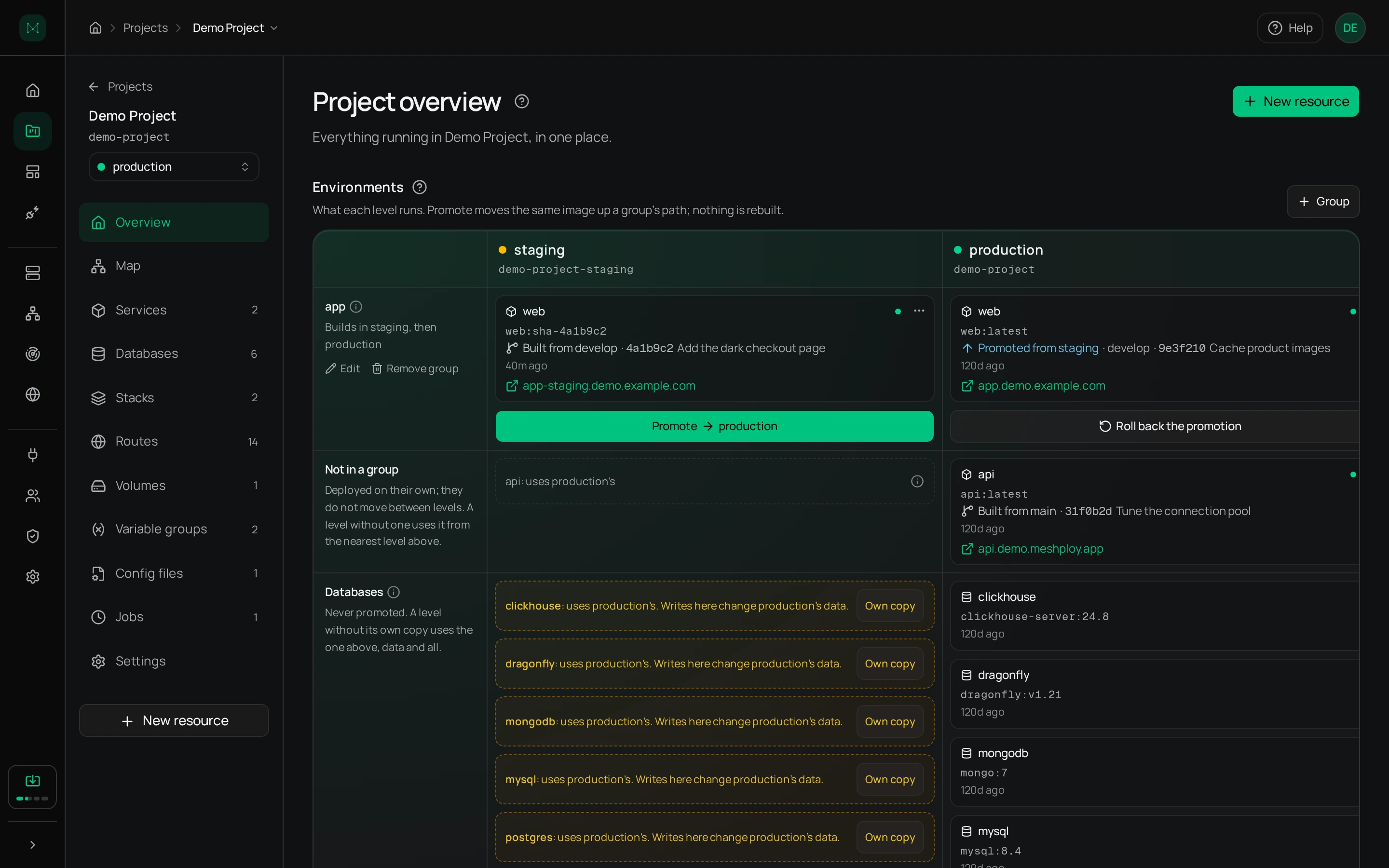
Staging to production, the same image
Environment levels promote the exact image staging ran. Each level can clone its own database from a backup, and a level is never allowed to read from one below it.
Watch it happen
Builds run as Kubernetes Jobs on build nodes, and their logs stream to the console live. A WebSocket terminal opens a shell in any node or pod from the browser.
RBAC for people and agents
Role-based access with per-resource grants covers people and AI agents alike. Agents get their own identities with hashed tokens, and a remote MCP server of about 100 tools lets one work the platform with exactly the access a person gave it.
| Grants | view | deploy | create | update | delete |
|---|---|---|---|---|---|
| projectshop | |||||
| serviceweb | |||||
| serviceapi | |||||
| jobnightly-report |
An agent is a member like any person, with its own token and only the grants it was given.